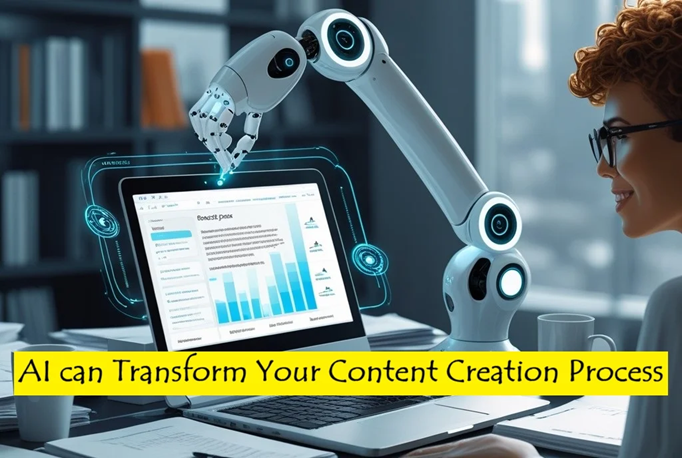
Creating great content consistently is hard. Between brainstorming new ideas, writing good copy, designing visuals and scheduling posts, it’s easy to feel overwhelmed. But here’s the good news – AI tools can now do a lot of the heavy lifting, so the entire process is faster and more efficient.
Whether you’re a blogger, social media manager, or video creator, AI can streamline your workflow from start to finish. Let’s break down how smart AI tools enhance each step – so you can focus on creativity instead of busywork.
1. Brainstorming: Spark Ideas with AI-Powered Tools
Every great piece of content starts with a solid idea. Instead of staring at a blank screen, let AI suggest trending topics and angles tailored to your audience.
Top Tools for Content Ideation:
- ChatGPT (OpenAI): Feed ChatGPT your niche and audience details – it’ll generate dozens of post ideas instantly. ChatGPT can also help you generate the outline of the draft of any of the selected idea.
- AnswerThePublic: It reveals popular queries and search phrases around your keywords that would help understand what people are searching online.
- BuzzSumo: Identifies top-performing content in your niche.
2. Outlining and Drafting: Craft Content with AI Efficiency
Once you’ve got your idea, it’s time to shape it into a draft. AI writing assistants can help structure content, refine tone, and even generate full sections – cutting drafting time in half.
Best AI Writing Tools:
- Gemini (Google AI): Great for research-backed, factual content.
- Jasper AI: Perfect for marketers needing brand-aligned copy.
- Copy.ai: Ideal for short-form content like social media captions or headlines.
- GrammarlyGO: Polishes grammar while improving clarity.
How to Use AI for Writing:
Generate an outline first using ChatGPT and then expand key points naturally using Gemini. Repurpose long-form posts into Twitter threads or video scripts effortlessly using Copy.ai. Adjust tone tailored to your brand (casual, professional, or humorous) with a single click using Jasper AI. Finally, use GrammarlyGO to generate a personalize content while adjusting tone, style, and clarity to fit your communication needs with correct grammar.
3. Editing & SEO: Making Content Search-Friendly
A great draft needs refining to stand out, and AI tools make editing seamless. AI editing tools fix awkward phrasing, optimize for SEO, and ensure your content ranks well.
Top AI Editing & SEO Tools:
- SurferSEO: Analyzes top-ranking pages and suggests keyword improvements.
- Clearscope: Ensures your content covers all relevant subtopics.
- Hemingway Editor: Proofreads and simplifies complex sentences for better readability.
- GrammarlyGO: Cleans grammar, spelling, and style issues if not done during the drafting phase.
4. Designing Visuals: Create Stunning Social Media Graphics with AI
Visuals are the hook that draws readers in, and AI design tools now create professional quality visuals from simple text prompts.
Best AI Visual Design Assistants:
- Canva AI: Generates social media posts, infographics, and short videos instantly.
- DALL·E 3 (via ChatGPT): Creates custom illustrations and thumbnails.
- Pictory: Automatically turns blog posts into engaging videos.
Canva also integrates with ChatGPT, letting you discover templates directly, which saves time in your content creation workflow. Use Canva’s Bulk Create with ChatGPT-generated captions to produce a batch of social media graphics in one go.
5. Scheduling & Publishing: AI as Your Social Media Manager
Getting your content live at the right time is crucial, and content scheduling tools powered by AI make it effortless.
Top AI Scheduling Tools:
- Buffer AI: Suggests optimal posting times and auto-generates captions. Link Buffer to ChatGPT – let AI writes captions and then schedules a month’s posts in one go.
- Hootsuite AI: Recommends hashtags and repurposes top-performing posts.
- Social Champ: With its Champ AI Suite, it can draft posts, suggest hashtags, and analyze sentiment to ensure your tone hits the mark. It can be integrated with Canva and ChatGPT, that can create a seamless workflow from design to publishing.
- Later: Predicts the best days/times for engagement.
- Planable: simplifies team collaboration and scheduling.
6. Tracking Performance: AI-Driven Insights
The work doesn’t stop at publishing. AI analytics spot trends, predict viral content, and show what’s working (and what’s not).
Best AI Analytics Tools:
- Google Analytics (AI Insights): Flags traffic drops and suggests fixes.
- Predis.ai: Forecasts how well a post will perform before you publish.
- ChatGPT Advanced Data Analysis: Upload performance reports for instant takeaways.
AI isn’t replacing creators. it’s freeing up time for what matters the most: strategy and creativity. By integrating these tools, you can:
- Cut brainstorming time from hours to minutes
- Draft content faster without sacrificing quality
- Design like a pro even with zero experience
- Publish at peak times automatically
The best part? Most of these tools offer free plans, so you can test them risk-free.
Ready to upgrade your workflow? Start with one AI tool this week – you’ll wonder how you ever worked without it. Let us know in the comment section, which AI tool has saved you the most time.
Discover more from do_it_very_easy [dive]
Subscribe to get the latest posts sent to your email.